


Lumi Drama
2.16.00 Reviews
App Specs
- Version
- 4.1
- Updated On
- License
- Free
- Downloads
- 10,000+
- Developer
- StorySpark
- Categories
- Personalization
- Platform
- Android
Screenshots
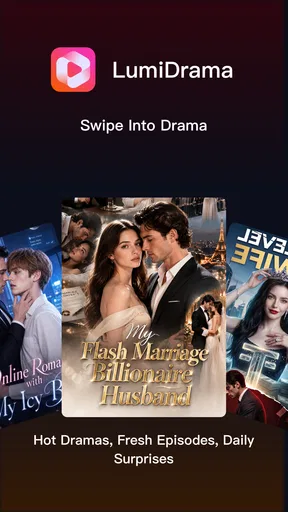
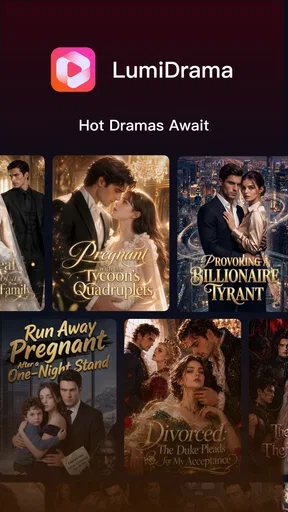
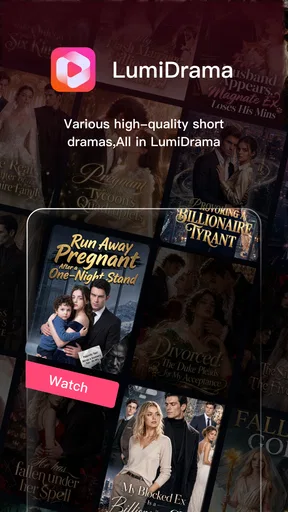
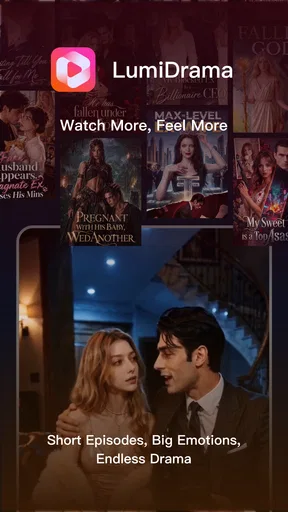
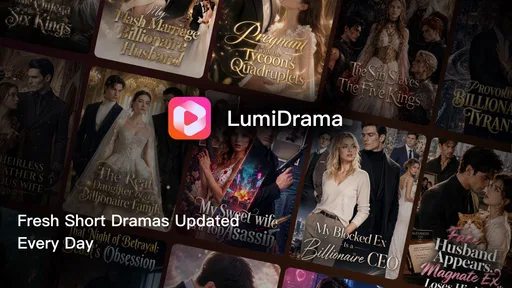
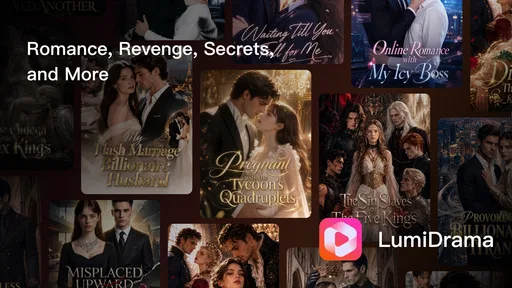
 Analysis by AppCompare
I spent time with Lumi Drama as a short-form entertainment app, paying particular attention to how easy it is to browse when I am tired, distracted, using a small screen, or watching without much time. Its basic idea is straightforward: open the app, discover brief dramatic stories, and move from one episode or clip to the next with a swipe. That simplicity is appealing, but it also makes the quality of navigation and presentation especially important. When an app asks me to make quick choices repeatedly, unclear controls or hard-to-read text become frustrating very quickly.
Developed by StorySpark, Lumi Drama sits in the personalization category rather than trying to be a full television replacement. It is free to start, rated for Everyone, and runs on Android devices using version 7.0 or later. The current version is 4.1, while the app has passed the ten-thousand-install mark. Those details make it approachable for people using older compatible phones, although the experience still depends heavily on the screen, sound, and comfort of the individual device.
How Lumi Drama feels to use in different situations
I find Lumi Drama’s swipe-led format most revealing when my attention or time is limited: it makes getting to a story feel immediate, but it also asks me to make quick choices and stay comfortable with repeated gestures. In this section, I look at how that balance changes across everyday viewing situations, then turn to the practical habits that make a short session easier to manage.
Readability and navigation during quick browsing
The strongest part of the concept is the low-effort browsing loop. I do not need to plan an evening around a long program. I can open Lumi Drama during a short break, look through dramatic clips, and stop when I have had enough. The swipe-based approach feels natural on a phone because it matches the way many people already move through short-form video. It also reduces the number of menus I have to understand before reaching something watchable.
That convenience has a trade-off. Swiping is fast, but it can make the experience feel less deliberate than a traditional streaming library. With a conventional service, I can usually compare titles, inspect categories, read a description, or return to a clearly labeled list. A swipe feed encourages immediate decisions instead. For someone who enjoys discovering stories by instinct, this is pleasant. For someone who wants to remember where they stopped or select a particular kind of drama, the same design may feel less controlled.
I found it useful to treat the first few minutes as a sorting session rather than expecting every clip to be a perfect match. The app’s appeal is discovery, not careful preselection. If you are sensitive to visual clutter or dislike making repeated quick choices, slow down between swipes and give yourself time to identify the available controls. That small habit makes the interface feel less demanding than rapidly flicking through everything.
Text size matters more in a short-drama feed than it might in a simple utility app. Titles, labels, and any on-screen prompts have to be understood quickly before the next gesture. I would recommend increasing the phone’s system text size before using the app if you normally need larger lettering, then checking whether titles or controls remain comfortable. This is a practical adjustment, but it may not improve every element if the app’s own layout does not fully follow the device setting.
Worth Reading Before You Choose

EA SPORTS FC Mobile 26 Is a Bigger Football Game, but It Takes Time

Flipboard Shows What News Apps Must Do Beyond the Feed

Switching to Android Auto Means Rethinking Your Driving Routine

Google Calendar Makes a Crowded Week Easier to Manage

Ludo King Makes the Most of the Minutes Between Plans

Baby Panda World Brings Quick Play to Modern Phones, but Its Game Library Feels Busy
Another useful habit is to keep the phone in a stable position rather than holding it loosely while swiping. A feed built around gestures can be easy to operate with one hand, but accidental touches are more likely when the device is moving. I would be especially careful on a crowded train or while walking; the design is made for quick interaction, not for safe use when my attention is divided.
Motor comfort and sensory demands
From a motor perspective, the main interaction is familiar: touch the screen and swipe. That is less complicated than navigating a deep menu structure, and it can suit users who prefer direct gestures over small buttons. At the same time, repeated swiping is not automatically comfortable for everyone. Someone with limited finger movement, tremors, joint pain, or difficulty making precise horizontal gestures may find the central browsing action tiring or unreliable.
There is an important difference between “simple” and “accessible.” A single gesture is easy to understand, but the app appears to depend on that gesture as the main way to discover content. If swiping is difficult for you, a more traditional video service with visible menus, remote-control support, or clearer keyboard navigation may be a better fit. I would not choose Lumi Drama solely because its interface looks uncomplicated.
The viewing experience also places a strong emphasis on sensory input. Drama depends on visual expression, dialogue, music, and changes in scene. I recommend starting with captions or the phone’s audio settings if those options are available in your viewing setup, but I would not assume that every clip offers the same level of support. People who are deaf or hard of hearing should test a few different stories before committing to the app, because a short-video feed is much less useful when essential dialogue cannot be followed.
For users with low vision, the small-screen format creates a practical limitation even when the story itself is engaging. A larger phone, a tablet, or a comfortable viewing distance can help, but the app remains designed around a mobile display. I would also avoid judging readability while the screen is in bright sunlight. A clip that looks clear indoors may become difficult to follow outdoors, especially when text is placed over changing backgrounds.
Users who are sensitive to fast cuts, intense audio, or emotionally dramatic scenes may want to keep the volume low and take breaks between clips. The short format makes it tempting to continue automatically, even when the sensory load is becoming uncomfortable. I found that using the app in shorter sessions gave me more control than treating it like background television.
Using it at home, on breaks, and away from ideal conditions
Lumi Drama makes the most sense in small pockets of free time. Imagine waiting for an appointment with ten minutes available: a long episode on another service may be inconvenient, while a short drama feed gives you something immediate to watch. The same applies to a lunch break, a quiet moment before bed, or a short pause between household tasks. I liked that the format did not demand a large commitment from me.
However, short content is not the same as content that works everywhere. In a noisy café, on public transport, or beside someone who is sleeping, audio can become the deciding factor. Earphones may solve the privacy problem, but they introduce their own concerns for people who do not hear comfortably through earbuds or who need to remain aware of their surroundings. In those situations, I would use the app only when the visual presentation is sufficient for the particular clip, rather than assuming sound is optional.
At home, Lumi Drama is easier to enjoy when I can position the phone at eye level. That reduces neck strain and makes it less likely that I will grip the device tightly for a long period. A stand or stable surface can also help users who find one-handed holding difficult. This is not a special feature of the app, but it changes the practical experience considerably because the feed encourages several consecutive clips.
For bedtime use, I would be cautious about relying on it as a calming app. Dramatic stories can be absorbing, but suspense and emotional intensity are not ideal for everyone before sleep. Lowering brightness and using a shorter session can make the experience gentler, although the app is still entertainment rather than a sleep aid. People who need predictable, quiet content may prefer an audio app, an ebook, or a familiar television series with fixed episodes.
When mobile data is limited, I would also be selective about when I watch. Short videos can consume attention quickly, and the convenience of constant discovery can encourage longer sessions than planned. I found it helpful to decide in advance whether I had time for one story or several. That simple boundary is particularly useful for children and for anyone who finds endless feeds difficult to stop.
Where the experience still creates barriers
The biggest barrier is the gap between the app’s simple premise and the needs of people who require more control. A swipe feed can be welcoming to a first-time viewer, yet it may offer fewer obvious routes for someone who wants to browse slowly, revisit a specific story, or avoid certain kinds of scenes. The more the experience depends on fast discovery, the more important clear history, labeling, and predictable navigation become.
The public response also suggests that Lumi Drama still has room to mature. It holds a 2.1 average from around forty ratings, with six written reviews. I would not treat that score as a complete verdict, because a small audience can reflect very different expectations, but it is enough to make me cautious. I would install it with modest expectations, explore the interface, and decide quickly whether the browsing style suits me rather than assuming the store summary tells the whole story.
The free entry point is helpful, but the in-app purchase range is broad, from forty-nine cents to nearly two hundred dollars per item. That does not automatically make the app unsuitable, yet it means I would pay close attention before confirming any purchase. Anyone sharing a device with children should use the phone’s purchase protections and explain that free installation does not mean every part of the experience is free. For users who want a completely predictable entertainment budget, a service with a clearly defined subscription or no purchase layer may be easier to manage.
Age labeling also deserves a thoughtful approach. The app is marked Everyone, but individual dramatic stories can still differ in emotional tone and intensity. Parents should look at what a child is actually watching rather than treating the general rating as a guarantee that every clip will feel appropriate for that particular child. The same principle applies to users who avoid conflict, suspense, or upsetting themes for personal reasons.
Another limitation is the risk of confusing convenience with accessibility. A person may be able to open the app and start a video but still struggle with text, sound, gesture repetition, or stopping at the right moment. I would test it with the phone’s own accessibility settings, including larger text or display adjustments, and then judge the result in the conditions where I expect to watch. A setup that works in a quiet room may not work on a bus or in bright daylight.
How it compares with familiar alternatives
Compared with a standard streaming service, Lumi Drama is lighter and more spontaneous. Traditional platforms are usually better when I know what I want, care about a specific actor or genre, or want a stable episode structure. They tend to reward planning. Lumi Drama is better suited to the opposite mood: I have a few minutes, I want something dramatic, and I am willing to let the feed choose the next possibility.
Compared with social short-video platforms, its identity is more focused around drama rather than a broad mixture of comedy, news, creators, and trends. That narrower purpose can be a benefit when I do not want to sort through unrelated material. The trade-off is that users who enjoy variety, community interaction, or highly personalized creator feeds may find a dedicated short-drama app less flexible.
Compared with reading serialized fiction, Lumi Drama asks less visual imagination from me because the story is presented as video. That makes it easier to consume when I am tired, but it also gives me less control over pace. A reader can pause on a paragraph, skim, or reread a scene instantly. Video is more passive, and users with visual or auditory access needs may prefer text when they want complete control over how a story is consumed.
My practical recommendation is to choose according to the kind of decision you want the app to make for you. If you want a quick stream of dramatic discoveries, Lumi Drama is worth trying. If you want a searchable library, dependable accessibility options, or a carefully managed family viewing environment, I would start with a more established alternative and use Lumi Drama only as a secondary option.
Who will get the most from it
I can see Lumi Drama working well for viewers who enjoy cliff-hanger-style entertainment, prefer short sessions, and are comfortable using touch gestures. It is especially suitable for someone who often says, “I only have a few minutes,” but still wants a story rather than a random utility video. The free installation lowers the risk of trying it, provided purchases are handled carefully.
It is less suitable for people who need guaranteed caption quality, rely on non-touch controls, dislike rapid browsing, or want a quiet and predictable viewing experience. I would also steer away from it if you are looking for a replacement for a complete streaming library. The app’s value is its focused, swipe-led format, not breadth or deep control.
For older adults or less confident smartphone users, I would introduce it alongside someone who can explain the swipe action and purchase safeguards. Once the basic gesture is understood, the app may feel approachable, but the feed can still be confusing if a viewer is unsure how to pause, return, or distinguish content from controls. A short guided first session is more useful than simply handing over the phone.
My inclusive verdict
I enjoyed Lumi Drama most when I used it intentionally: a stable phone position, a short viewing window, comfortable brightness, and realistic expectations about discovery. Its strongest quality is immediacy. I can reach dramatic short-form entertainment without building a watchlist or committing to a long program. That makes it a handy companion for spare moments.
Its weaknesses are equally practical. The swipe-centered design may not suit every motor ability, the small-screen format can challenge some viewers, and sound or text needs may vary from one story to another. The broad purchase range also calls for attention, especially on a shared device. These are not reasons for everyone to avoid the app, but they are reasons to test it in the conditions that matter to you.
StorySpark has created a focused personalization app with a clear entertainment purpose, but I would describe it as a try-before-you-commit option rather than an automatic recommendation. If quick dramatic clips and gesture-based discovery match your habits, the free starting point makes experimentation reasonable. The right question is not whether Lumi Drama is easy in theory, but whether its short, swipe-driven format remains comfortable for your eyes, hands, ears, attention, and budget.
Pros
- Large catalog of Asian dramas
- including Korean
- Chinese
- and Thai titles.
- Clean interface makes browsing genres and finding new series straightforward.
- Episode updates are often available soon after a show’s release.
- Video quality options help reduce data usage on mobile connections.
- Personalized recommendations can make discovering similar dramas easier.
Cons
- Some titles or episodes may be unavailable depending on your region.
- Free viewing may include frequent ads or other viewing interruptions.
- Subtitles can vary in accuracy and timing between different dramas.
- A stable internet connection is usually needed for smooth playback.
- Premium access may be required for the newest or most popular episodes.
FAQs for Lumi Drama
What is Lumi Drama, and what can I watch on it?
Lumi Drama is an entertainment app focused on drama content, including serialized stories, romantic plots, emotional conflicts, and other Asian-style television productions. After installing it, users can browse the available catalog, open title pages, read basic descriptions, and start watching supported episodes. The exact selection may change by region, licensing agreements, and future updates, so the library can vary over time.
Is Lumi Drama free to download and use?
Lumi Drama can generally be downloaded without paying an installation fee, but that does not necessarily mean every feature or episode is free. Some content may be supported by advertisements, while other episodes or viewing options could require in-app purchases, a subscription, or virtual credits. Before watching extensively, check the app’s payment details, trial conditions, renewal terms, and refund policy in your store.
Does Lumi Drama require an account or internet connection?
Depending on the version and the feature you want to use, Lumi Drama may allow limited browsing without an account but require sign-in for watching, saving favorites, synchronizing progress, or accessing premium content. A stable internet connection is normally needed for streaming, and video quality may adjust according to your network. If offline downloads are offered, availability and restrictions should be confirmed inside the app.
Is Lumi Drama available on both Android and iPhone?
Lumi Drama’s availability can depend on the country, operating-system version, and the developer’s current distribution plans. Users should search for the official listing on Google Play for Android or the App Store for iPhone and verify the publisher name before downloading. Check the stated compatibility, required storage, age rating, and recent reviews, since an app may be unavailable or limited in certain regions.
Is Lumi Drama safe to download and suitable for all viewers?
The safest way to install Lumi Drama is through an official app store rather than an unknown APK or third-party download page. Review the permissions requested, privacy information, developer details, and billing disclosures before accepting. The dramas may include mature themes, romance, violence, or emotionally intense scenes, so parents should check the age classification and use device-level parental controls when younger viewers may access the application.


